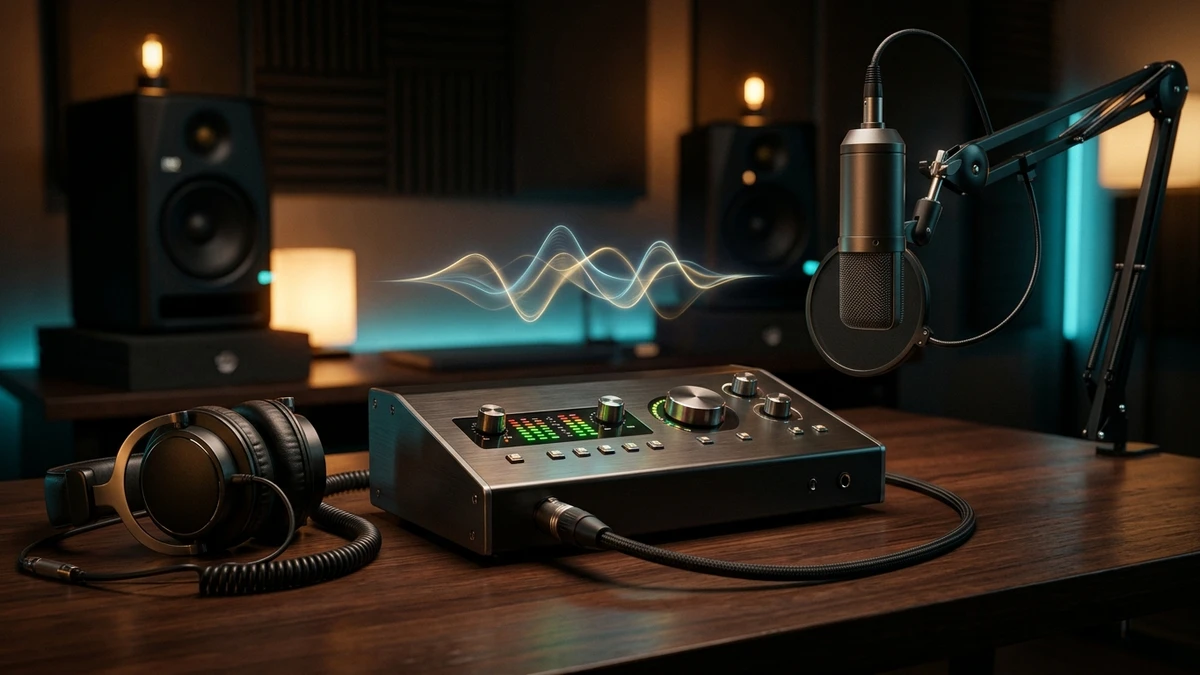
Why You Need a Dedicated Audio Interface: The Battle Against Onboard Audio
One of the most frequent questions beginners ask when starting music production is: "Since my laptop already has a headphone jack and plays audio, why should I spend money on an external audio interface?" The brief answer is simple: your motherboard's onboard sound chip was engineered to stream movies and voice calls, not to produce studio-grade music inside a DAW!
An external audio interface performs the mission-critical task of two-way signal conversion: Analog-to-Digital (A/D Conversion) when recording vocals and electric instruments, and Digital-to-Analog (D/A Conversion) when sending crystal-clear sound to studio monitors and monitoring headphones. Onboard computer chips cost mere cents and sit surrounded by intense electromagnetic interference (EMI) from high-power GPUs and power supplies, causing muddy audio, masked transients, and persistent background hiss.
Beyond raw converter fidelity, the ultimate differentiator lies in dedicated ASIO drivers. A dedicated interface bypasses the high-latency layers of native operating system audio engines (DirectSound / Windows Audio), collapsing Round-Trip Latency from an unbearable 80 milliseconds down to under 6 milliseconds. When you trigger chords on your MIDI keyboard or sing into a microphone, you hear playback instantaneously with zero perceptible lag.
1. Crippling latency that makes live MIDI recording and vocal monitoring impossible. 2. Severe background electrical buzz and motherboard hiss. 3. Zero XLR inputs or +48V phantom power for condenser mics. 4. Weak headphone amplifiers incapable of driving professional studio headphones (80Ω and 250Ω).
Onboard Motherboard Audio (PC/Mac Stock)
Designed for casual media consumption ⟵ Severe audio latency (50-100 ms) ⟵ Electromagnetic ground hiss from GPU ⟵ No phantom power or balanced TRS outputs.
Dedicated Studio Audio Interface
Precision 24-bit / 192 kHz converters ⟵ Ultra-low latency proprietary ASIO drivers ⟵ Clean microphone preamps with negligible noise floor ⟵ Balanced outputs.
5 Critical Technical Specs You Must Understand Before Buying
Browsing audio interface specs can feel overwhelming with marketing jargon. To make an educated, cost-effective investment, focus on these 5 fundamental parameters:
1. Round-Trip Latency (RTL): The total elapsed time for an audio or MIDI signal to travel into the computer, undergo DAW buffer processing, and return to your ears. A quality unit maintains an RTL below 10 milliseconds at a 128-sample buffer, making timing errors imperceptible.
2. Mic Preamp Quality & Equivalent Input Noise (EIN): Microphones produce tiny millivolt signals that preamps must boost by 50 to 65 decibels. Top-tier preamps deliver transparent gain with an ultra-quiet noise floor (EIN ratings lower than -128 dBu), ensuring zero audible hiss even on gain-hungry dynamic mics.
3. Dynamic Range: The decibel span between the noise floor and the threshold of digital clipping. Look for interfaces offering a dynamic range of 110 dB to 120 dB for ample recording headroom.
4. Hi-Z / Instrument Input: When recording electric guitars or basses directly into amp-simulator plugins, plugging into a high-impedance (Hi-Z) input prevents high-frequency loss and tone degradation.
5. Zero-Latency Direct Monitoring: A physical switch that routes the incoming analog microphone signal directly to your headphones before it hits the computer, guaranteeing 100% latency-free pitch monitoring for vocalists.
Virtually all commercial Billboard streaming hits are tracked and mastered at 44.1 kHz or 48 kHz (24-bit). Do not overpay for 192 kHz claims; driver stability and preamp transparency matter infinitely more than bloated sample rates.
Which Audio Interface Fits You? Profiling Beatmakers, Vocalists, Podcasters & Musicians
The costliest mistake in purchasing studio gear is overspending on dozens of inputs and outputs you will never touch. Match your purchase to your actual production workflow:
Profile 1: In-The-Box Beatmakers & Electronic Producers: If you produce primarily using software synths, samples, and smart chord generators like MojoMelody, you do not need 8 microphone inputs! Your priority is ultra-low latency for playing MIDI controller keys, pristine D/A conversion for studio monitors, and a punchy headphone amplifier. A compact 2-in / 2-out interface is ideal.
Profile 2: Solo Vocalists & Songwriters: Your core requirement is an ultra-clean, transparent mic preamp with generous gain, reliable +48V phantom power for condenser mics, and intuitive zero-latency direct monitoring.
Profile 3: Podcasters, YouTubers & Live Streamers: Your make-or-break feature is hardware Loopback, allowing you to route computer desktop audio, game sounds, and Discord calls seamlessly into your streaming software alongside your microphone.
Profile 4: Multi-Instrumentalists & Bands: You require 4 to 8 combo XLR/TRS inputs to record multi-tracked drums, acoustic guitars, and keyboards simultaneously, plus optical ADAT expansion ports for future upgrades.
Loopback is an internal digital audio bridge that routes computer audio playback directly back into an input channel. If you create video tutorials, podcast interviews, or Twitch streams, Loopback is non-negotiable.
Market Shootout: Comparing the Best Audio Interfaces Across Every Budget
Navigating modern studio hardware reveals standout champions across three distinct price categories:
Entry-Level Budget (Under $100 - $150): The Behringer U-Phoria series. While the cheap UM2 features a plastic shell and generic drivers, the UMC202HD boasts an all-metal chassis, MIDAS-designed preamps, genuine 24-bit/192kHz resolution, and dedicated ASIO drivers—representing the most cost-effective entry point in the history of home recording.
Home Studio Gold Standard ($150 - $250):
1. Focusrite Scarlett 2i2 (Gen 4): The world's best-selling interface upgraded with flagship-grade 120 dB dynamic range converters, intelligent Auto Gain, Clip Safe protection, and an enhanced Air harmonic mode.
2. MOTU M2 & M4: The audiophile favorite. Features a vibrant full-color LCD level meter display, high-end ESS Sabre32 Ultra DAC converters, and benchmark-setting low latency drivers.
3. Arturia MiniFuse 1 & 2: Celebrated for its rugged build, built-in rear USB hub port for MIDI keyboards, rock-solid drivers, and an outstanding software bundle.
Prosumer & DSP-Powered ($300+): Universal Audio Volt 176 / 276 featuring real analog circuitry inspired by the iconic 1176 Peak Limiter, Universal Audio Apollo Twin X with onboard DSP plugin processing, and RME Babyface Pro FS renowned for legendary driver longevity.
For most home studio producers, the primary shootout is between the Focusrite Scarlett 2i2 Gen 4 (for effortless vocal tracking and Air mode) and the MOTU M2 (for pristine DAC monitoring, LCD metering, and ultra-low latency).
Master Comparison Matrix: The Best 2026 Models by Budget, Inputs & Use Case
To accelerate your decision, the top 4 market-leading interfaces are comprehensively analyzed side-by-side in this structured comparison matrix:
Invest in an interface matching your immediate production needs. Purchasing surplus unused channels yields zero improvement in sound quality.
Focusrite Scarlett 2i2 (Gen 4)
The benchmark home studio interface. Features 120 dB dynamic range converters from flagship RedNet interfaces, Auto Gain calibration, Clip Safe protection, and Air presence mode.
MOTU M2 (2x2 USB-C)
Equipped with ESS Sabre32 Ultra DAC technology, class-leading low latency drivers, and a stunning full-color LCD screen displaying precision real-time decibel meters.
Universal Audio Volt 276
Features a built-in analog compressor circuit inspired by the legendary 1176 with vocal and guitar presets, paired with a 610-style tube preamp saturation mode.
Behringer U-Phoria UMC202HD
The king of entry-level affordability. Features an all-metal chassis, clean preamps designed by MIDAS, 24-bit / 192 kHz recording resolution, and dedicated ASIO drivers.
Hardware Synergy: Audio Interfaces, Low-Latency MIDI & MojoMelody
You might be surprised to learn that an audio interface's most transformative impact often occurs not during microphone recording, but during virtual instrument and MIDI sequencing!
When utilizing MojoMelody's intelligent chord progression engine to generate mood-driven cadences, test emotional voicings, or explore authentic Persian quarter-tone Dastgahs, you need your DAW to trigger sound libraries instantaneously. A dedicated audio interface running ASIO allows you to safely lower buffer sizes to 64 or 128 samples, bringing key-trigger latency below 5 milliseconds. Tapping keys on your MIDI keyboard feels as immediate and organic as sitting at an acoustic grand piano.
Furthermore, when utilizing MojoMelody's effortless MIDI Drag & Drop feature to drop chords and basslines onto CPU-intensive virtual pianos or synth pads, the dedicated interface driver completely eliminates buffer underruns, stopping annoying audio dropouts, pops, and crackles permanently.
A high-performance audio interface supplies the stable low-latency foundation, while MojoMelody delivers instantaneous harmonic inspiration. Together, they eliminate creative friction entirely.
The 4-Step Setup & Latency Optimization Checklist
Follow this 4-step studio checklist to extract maximum acoustic performance and zero-latency reliability from your new audio interface:
Never use generic third-party drivers like Asio4All when your interface provides proprietary factory drivers. Native ASIO always delivers optimal latency and zero crashes.
Direct USB Connection & Native ASIO
Direct USB & Native ASIOConnect directly to rear motherboard USB ports (avoid unpowered hubs). Download and install the latest proprietary manufacturer driver from the official website.
Calibrate DAW Audio Buffer Size
Buffer Size OptimizationOpen your DAW settings (FL Studio, Ableton, Logic). Select the native interface driver and configure your buffer size to 128 samples for ultra-low latency playback.
Standardize Input Gain Staging
Prevent Digital ClippingSing or play at peak volume while setting preamp gain. Ensure signal peaks land safely between -18 dBFS and -12 dBFS, never triggering the red clipping LED.
Balanced TRS Cabling to Monitors
Balanced Cabling & Anti-HumConnect your active studio monitors using balanced 1/4" TRS or XLR cables. Balanced lines automatically reject electromagnetic interference and ground hum.
Frequently Asked Questions
Q:Do I really need an audio interface if I only make beats with a MIDI keyboard?
Yes. While you can draw notes with a mouse on stock sound cards, an external interface drops the delay between pressing a physical key and hearing audio from 100ms down to under 6ms. This immediate response is essential for playing in time and prevents audio crackles as your virtual instrument count grows.
Q:What is the difference between balanced (TRS/XLR) and unbalanced (TS) cables?
Balanced cables feature three conductors (hot, cold, and ground shield). Any electrical noise or radio interference picked up along the cable is cancelled out at the destination through phase cancellation. Balanced TRS or XLR connections are mandatory for connecting studio monitors to eliminate hum.
Q:Do USB-C audio interfaces offer lower audio latency than USB 2.0 interfaces?
No. USB 2.0 throughput (480 Mbps) provides vastly more bandwidth than necessary to stream multichannel 24-bit audio. The USB-C connector provides physical durability and better bus power, but real latency depends entirely on the efficiency of the software driver architecture.
Q:Why do I hear pops, clicks, or audio dropouts in FL Studio or Ableton?
This issue (Buffer Underrun) occurs when the computer CPU cannot process audio blocks within the allotted buffer timeframe. Resolve it by increasing your interface buffer size from 64 or 128 samples up to 256 or 512 samples during dense mixing sessions.
Q:How does a dedicated audio interface enhance using MojoMelody?
By establishing a stable, low-latency ASIO audio pipeline, a dedicated interface lets you audition complex chord voicings and Persian quarter-tones in MojoMelody in real time, and drag MIDI patterns into your DAW without stuttering, latency, or system crashes.